Samsung Food alternativeBring every diner into your meal plan.
Make attendance, preferences and cooking capacity part of a household planning brief. Generate and adjust your plan in a web workspace.
10 credits after email verification · No card for Free
- Choose DietWings for
- Build the brief around individual participants, attendance, shared or separate meals and your cooking capacity in a web workspace.
- Samsung Food focuses on
- Save recipes, collaborate on plans and use Food+ for personalised plans and AI recipe tools.
 Interactive example
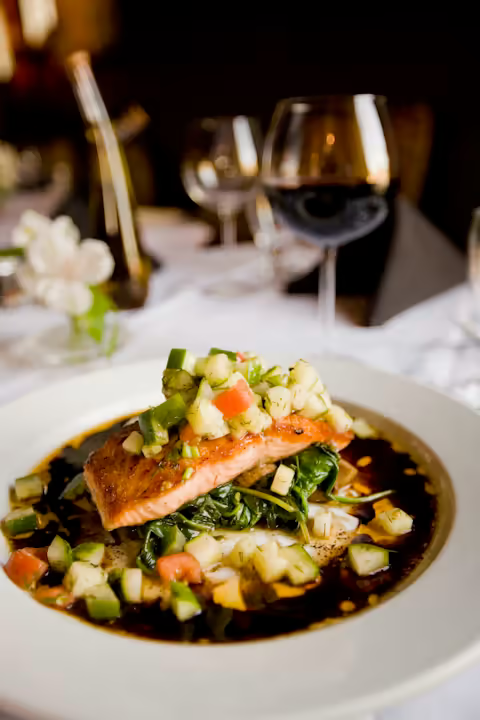 Thursday · Your household plan
Rice bowls for Alex & Sam
2 portions · Alex eats salmon, Sam eats chickpeas
Try changing this dinner. Illustrative example, not a live AI result.
Two diners, one person managing the plan. Plus supports this setup; separate shared access requires Family. See plans and limits.
See what you get
Compare the work behind your weekly menu.
Compare how each product handles the same weekly tasks.
| What your week needs | Built for your household |  Samsung Food |
|---|---|---|
| Feed two people with different diets | Set each person’s preferences and the meals they attend | Share and collaborate on plansSource ↗ |
| Keep shared and separate meals in one plan | Choose which meals people share and which they eat separately | Personalised Food+ meal plansSource ↗ |
| Change dinner when your day changes | Ask AI to change a meal within the existing plan | AI recipe personalisationSource ↗ |
| Decide what to cook | AI suggests meals from your planning brief | Food+ creates personalised meal plansSource ↗ |
| Use your kitchen stock | Quantities, storage & use-first inputs | Food-list search & automationSource ↗ |
| Fit the cooking to your week | Time, equipment, batch & freezer inputs | Personalised planning & recipe toolsSource ↗ |
| Keep the shopping connected | Recipe usage, pantry & shopping statuses | Shared shopping listsSource ↗ |
Features depend on your tier and credit allowance. See DietWings plans and limits. Competitor sources are linked in each row.
The plan behind the example
Two diners or a bigger household?
Choose who you plan for. Dining participants are the people eating; shared users can access the plan themselves.
Plus
$9.99per month
$119.88 over 12 monthly payments. This is not an annual subscription offer.
- 2 dining participants
- One person manages the plan. No shared-user access.
- 40 credits per period in the checked US plan. AI actions use credits; this is not unlimited generation.
Samsung Food- Samsung Food core · $0.00 for basic planning
- Its meal-planner page describes free planning, collaboration and shopping lists. Source ↗
- Food+ monthly · $6.99 per month
- Published Food+ price after the eligible 7-day trial; local terms can differ. Source ↗
- Food+ annual · $59.99 per year
- Annual billing after the eligible trial. Not the price of a monthly subscription. Source ↗
Start free without a card: 10 introductory credits after email verification, up to 2 diners, no shared access.
How credits work
- Creating a plan
- The cost is calculated for your planning brief. Before generation, you can review the credit cost, balance and balance after the action.
- Changing a plan with AI
- AI edits spend credits from your balance too. Your plan’s allowance covers AI actions, rather than an unlimited number of plans or edits.
- When credits run out
- Generation cannot start without enough credits. An active paid subscription is required to buy extra credits.
All DietWings plan allowances in this snapshot
- Free · $0.00 to start
- 2 dining participants · 0 shared users. 10 introductory credits after email verification; no monthly free credits.
- Plus · $9.99 per month
- 2 dining participants · 0 shared users. 40 credits per period in the checked US plan. AI actions use credits; this is not unlimited generation.
- Family · $39.99 per month
- 10 dining participants · 3 shared users. 200 credits per period in the checked US plan. AI actions use credits; this is not unlimited generation.
US-dollar research snapshot checked October 28, 2026. Regional pricing, taxes and app-store charges can differ. Your current checkout price takes precedence.
Choose the planner that fits your week.
Try DietWings if…
- You prefer starting with participant-specific requirements and cooking capacity.
- You want to request focused edits to a generated household plan in a web workspace.
- You want to compare inventory and leftover handling using your actual week's constraints.
Consider Samsung Food if…
- Recipe discovery, saving and collaboration already work well for you in Samsung Food.
- You want the Food+ feature set and its monthly or annual price.
- The premium features you need are available on your device and in your country.
Samsung Food already has free planning and paid AI tools. Check your device and regional feature availability before deciding to replace it.
Start with one normal week
Start with your next few dinners.
List which tasks currently use free Samsung Food and which require Food+.
Check the mobile-only and regional qualifications for the premium features you care about.
Add your household, pantry and preferred dishes, then generate a short plan. Recipes need to be entered again; there is no direct Samsung Food library import.
Use our practical planning guide to check the results that matter to your household.
Your questions, answered.
Is Samsung Food free?
Its official planner page describes a free core with planning and shopping tools. Food+ is a separate paid subscription with additional features. The prices on this page distinguish the two.
Does Samsung Food already offer AI planning?
Yes. Food+ advertises personalised plans and AI recipe tools. Compare the particular editing and household workflow you need instead of treating AI as exclusive to DietWings.

Know what’s for dinner next week.
Start with your people, the food at home and the time you have to cook.
Create my free planThe detail behind the comparison
Check the facts behind your decision.
Samsung Food offers recipe saving, collaborative planning and shopping lists, while Food+ adds paid personalised planning and AI tools. DietWings offers a household-oriented generation and editing workflow. Compare the free and paid tiers separately so you are evaluating like-for-like tasks.
Read the detailed feature-by-feature evidence
| Topic | DietWings | Samsung Food |
|---|---|---|
| Free planning | A Free entry tier lets you try the planning workflow; review the current introductory credit allowance. | The core service supports meal plans, saved recipes, collaboration and shopping lists. [source] |
| Paid AI tools | AI generation and chat edits use the credits associated with your plan. | Food+ advertises personalised weekly plans, recipe adaptation and nutrition tracking. [source] |
| Pantry use | Enter usable inventory, storage details and cooking constraints before generating, then review purchases. | Food+ documents ingredient-list search and pantry-list automation. [source] |
| Where features work | Use the meal-planning web application; this comparison does not claim native-app or smart-appliance equivalence. | The Food+ product page labels several premium tools as mobile-app exclusive. [source] |
| Household requirements | Plan around participant attendance and preferences using shared, separate or hybrid modes, within your tier's limits. | The basic planner page describes collaboration with family and friends. [source] |
Official references
How this was checked
Checked . Competitor facts come from official public pages. DietWings details were checked against product workflows and the US public-plan response. Paid competitor subscriptions were not benchmarked.
Published by DietWings with AI assistance. Examples illustrate a workflow; real AI output needs review. Brand names identify the products compared and do not imply affiliation. For corrections, contact us.